

WP Admin snippets
-
Disable Comments in WordPress Completely Without a Plugin
Disable comments in WordPress completely without a plugin: close forms, hide old comments, empty comment blocks and remove the admin screens.
Category: WordPress -
Add a Sortable ID Column to WordPress Admin Lists
Show the post ID in a sortable column on every WordPress admin list, posts, pages and custom post types, with one Admin only snippet.
Category: WordPress -
Add Admin Shortcuts to the WordPress Admin Bar
Add a Shortcuts menu to the WordPress admin bar with Plugins, Themes, Updates and New Code Block links, each shown only to users who can use it.
Category: WordPress -
Hide the WordPress Admin Bar for Specific User Roles
Hide the WordPress admin bar on the front end for subscribers, customers or any role you list, or for everyone, without a fatal error.
Category: WordPressTags: WP Admin -
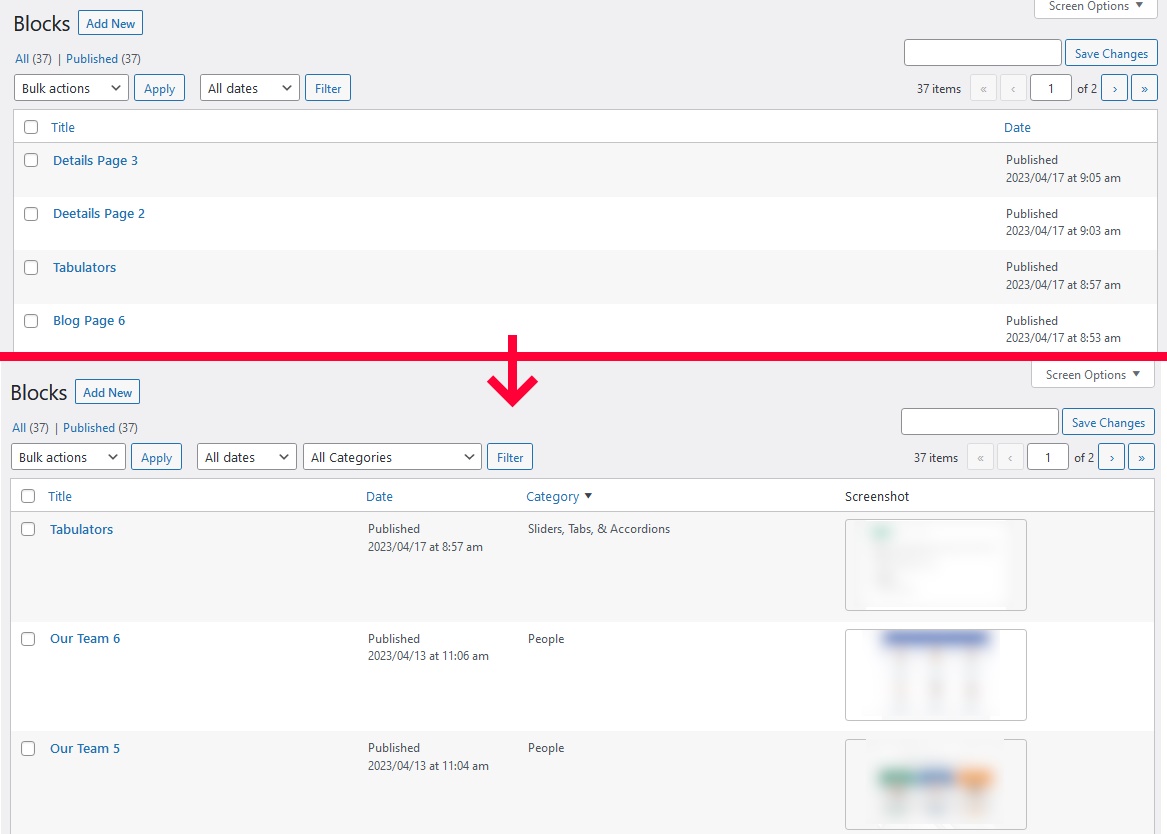
Extend Block page with category and screenshoot
This php snippet will provide you with a more efficient way of organizing and keeping track of your blocks in Oxygen builder.
-
Replace the WordPress Dashboard With a Custom Page
Replace the WordPress admin dashboard with a page you built in Gutenberg, Bricks, Oxygen or Elementor, shown full width next to the admin menu.
Category: WordPress -
Replace WordPress Admin Post List Titles With Custom Fields
Show titles built from custom fields, taxonomy terms and the date in the WordPress admin post list, instead of (no title) rows.
Category: WordPress -
Oxygen Links in Admin Bar
I put this code-snippet to every Oxygen site i develop, because it is faster to go to the settings by admin bar,I use Scripts Organizer to use this as below : Add a code-block with Trigger location set to EVERYWHERE put the code and you are done.
Category: Oxygen -
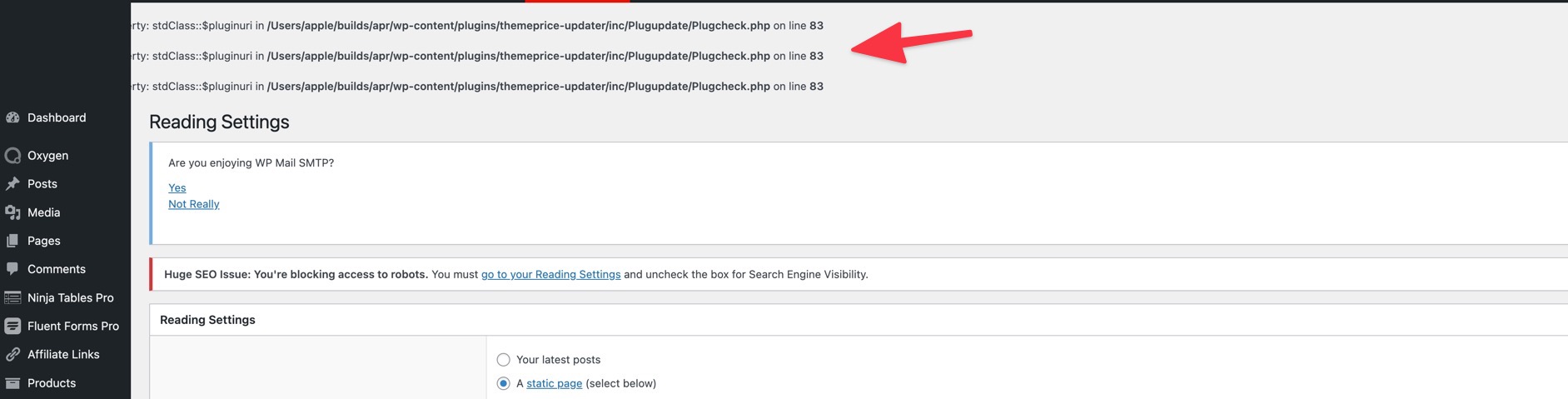
Hide Errors using wp-config file
Sometimes when you are in a development environment like Laravel Valet on your home computer, you may have errors show up. you can use the following code to hide them Edit wp-config.php file and add the following anywhere ini_set(‘display_errors’,’Off’); ini_set(‘error_reporting’, E_ALL ); define(‘WP_DEBUG’, false); define(‘WP_DEBUG_DISPLAY’, false);
Category: WordPressTags: WP Admin -
Add an Add Media Link to the WordPress Admin Bar
Put an Add Media upload link on the WordPress admin bar, in wp-admin and on the front end, for users who can upload files.
Category: WordPressTags: WP Admin -
Disable WooCommerce Marketing Menu in WordPress Admin
Remove the WooCommerce Marketing menu from the WordPress admin and keep Coupons under the WooCommerce menu.
Category: WooCommerce -
Redirect wordpress back to referring page after login
Sometimes you have a situation where you want the customer to log in, like a donation page, but you don’t want them to end up at /my-account/ but rather be taken back to the page where they were when they started. This code is useful for donation sites, as well as refer a friend scenarios.
Category: WordPress -
Redirect to the Home Page After Logout in WordPress
Send WordPress users to the home page after they log out, instead of the login screen, with the logout_redirect filter.
Category: WordPress -
Set the Mobile Browser Theme Color in WordPress
Set the theme-color meta tag in WordPress so mobile browsers paint their address bar and top of the screen in your brand colour.
Category: WordPress -
WordPress Admin Warning When Search Engines Are Blocked
Show a red WordPress admin notice on every screen while “Discourage search engines from indexing this site” is ticked, so a live site is not left hidden.
Category: WordPress -
Set a WordPress Post Type to Private by Default
Make every published post of a WordPress custom post type private automatically, while drafts, trash and other post types work as usual.
Category: WordPress -
Show Featured Image Column in WordPress Admin Posts List
Add an Image column with the featured image to the WordPress admin lists of posts, pages and custom post types, without an extra image size.
Category: WordPressTags: WP Admin -
Show Post, Page and CPT IDs in WordPress Admin Columns
Add an ID column to the WordPress admin lists of posts, pages and custom post types, so you never open a post just to find its ID.
Category: WordPressTags: WP Admin -
Add a Custom Link to the WordPress Admin Bar
Add one custom link to the WordPress admin bar, shown only to users who can open it, with an optional highlight colour in wp-admin and on the front end.
Category: WordPress -
Color WordPress Admin Menu Items
Color chosen WordPress admin menu items with your own background and text colours, so the screens you use daily stand out in the sidebar.
Category: WordPressTags: WP Admin


3rd party plugins actions admin admin bar archive block-themes block editor Blocks block theme build caching capabilities core CSS custom post types development filters gutenberg hook hooks Image img javascript load styles maintenance media Must Have npm Oxygen performance php plugins rest api scripts organizer security single product tailwind theme.json Tips transients updates WooCommerce wordpress wp-cli WP Admin